

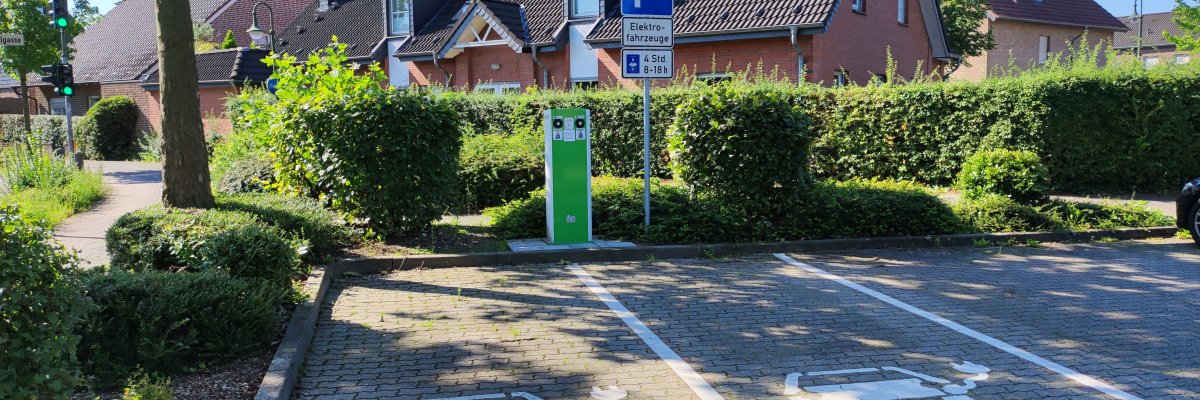
E-charging station at the Kardinal-von-Galen parking lot
Stadtwerke Kevelaer

E-charging stations

Just load it up—right there on the spot

With our electric charging stations, you can charge your electric car at numerous locations in Kevelaer and the surrounding towns. Stadtwerke Kevelaer and NiersEnergie have been expanding the public charging infrastructure since 2015.

There are now a total of 21 charging stations available—ranging from standard AC charging points to fast chargers.

At our charging stations, you can charge your vehicle with electricity that is certified as 100% hydroelectric.


  • for all standard Type 2 charging plugs
  • two charging points per charging station
  • Maximum charging power per charging point: 22 kW AC or 50 kW DC
  • Electricity rate: 49 ct/kWh gross (AC) or 59 ct/kWh gross (DC)
  • Free parking while charging
  • Payment via app or prepaid card
  • Open 24 hours a day

*The gross prices include the statutory sales tax of currently 19%.


Here's how you can pay

You can pay with an Ecotap recharge card or by credit card via the Ecotap app on your smartphone.

You can apply for free.

You can find information on how to use the app on the Ecotap page about app operation.


Locations of the charging stations of Stadtwerke Kevelaer and NiersEnergie

Help with accessibility

  • General

    We endeavor to make our websites accessible. You can find details on this in our accessibility statement. You can send us suggestions for improvement via our feedback form Report accessibility.

  • Font size

    To adjust the font size, please use the following key combinations:

    Larger

    ⌘command
    +

    Smaller

    ⌘command

    Larger

    Ctrl
    +

    Smaller

    Ctrl
  • Keyboard navigation

    Use TAB and SHIFT + TAB to navigate through next/previous links, form elements and buttons.

    Use ENTER to open links and interact with elements.

  • Contrast mode

    Press the following key combination to reduce or increase the contrast:

    Enlarge

    ⌃control
    ⌥option
    ⌘command
    .

    Decrease

    ⌃control
    ⌥option
    ⌘command
    ,
    Note: The shortcuts must be activated in the system settings of the operating system.

    Press the left ALT key + left SHIFT key + PRINT to quickly switch the high contrast mode on or off.

  • Invert colors

    Press the following key combination to switch the color inversion on and off:

    ⌃control
    ⌥option
    ⌘command
    8
    Note: The shortcuts must be activated in the system settings of the operating system.

    First activate the screen magnifier and then switch the color inversion on and off with the following key combinations:

    1. screen magnifier

    +

    2. invert colors

    Ctrl
    Old
    I
  • Screen magnifier

    Press the following key combinations to use the screen magnifier:

    Switch on/off

    ⌥option
    ⌘command
    8

    Enlarge view

    ⌥option
    ⌘command
    =

    Reduce view

    ⌥option
    ⌘command
    Note: The shortcuts must be activated in the system settings of the operating system.

    Switch on / Enlarge view

    +

    Reduce view